![Marmind White.png]](https://howto.marmind.com/hs-fs/hubfs/Marmind%20White.png?height=40&name=Marmind%20White.png)
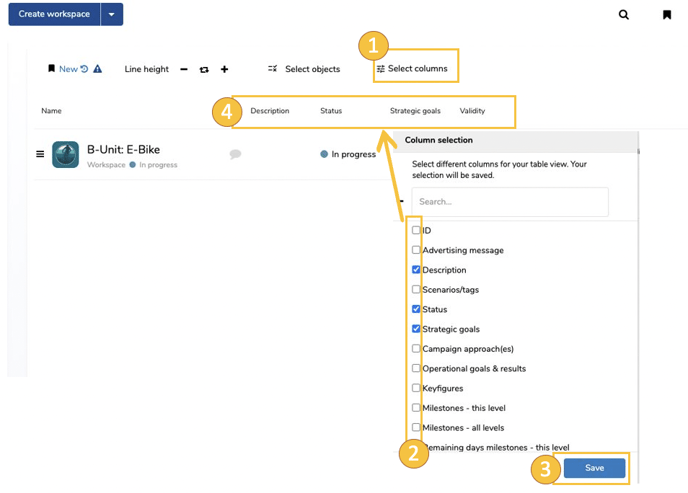
Select the data you want to display per marketing object. To do this, click “select columns” option (1). The popup „Column selection“ will open (2). There you can select the corresponding data (checkbox), which will be displayed as columns in the cockpit view after saving (3) (4).